Secure Time Tracking Software for Teams and Employees

Time Tracking Software for Employees - LOV111VOL

Replace outdated systems with LOV111VOL – start tracking time just 50 seconds after download.

Simple. Fast. Effective.

This time tracking software offers all essential features with smart tools for teams and solo workers.

Save time and improve productivity

Track employee hours accurately to boost team efficiency and reduce admin work.

Automate tracking and save up to 80% of manual input time.

Simple time tracking software for employees – application

HOW TO DOWNLOAD

How to install and run the time tracking software – simple step-by-step instructions
How to Download and Run
Follow these simple steps to start using the app:
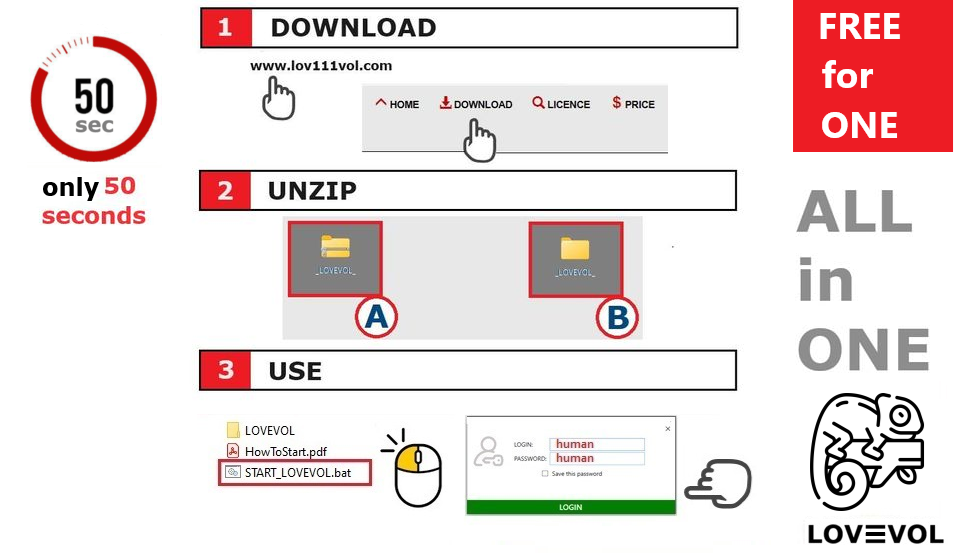
  1. Download from lov111vol.com.
  2. Extract the downloaded ZIP file using "Extract All".
  3. Run START_LOV111VOL.bat from the extracted folder.
  4. Login with Username: human and Password: human.

Benefits of Digital Time Tracking

Benefits of using secure time tracking software for teams

Effortless Employee Time Management

This software enables companies to digitize employee time tracking efficiently. Employees can customize daily work hours, vacations, sick leaves, and travel days, improving flexibility and compliance.

Within 50 seconds of installation, your office can switch from paper-based to real-time digital tracking, boosting accuracy and productivity.

Benefits:

  • Reduce admin time by up to 80%
  • Flexible scheduling for each employee
  • Real-time monitoring of work hours
  • Seamless integration with payroll and project tools
  • User-friendly interface for teams and individuals

This solution transforms workforce management, ensuring faster, clearer, and smarter time tracking for organizations of all sizes.

Key Features of Employee Hours Logging Tool

Key features of employee work time tracking software

Powerful Features of Work Time Tracking

Designed for businesses to log employee hours accurately, this software automates time tracking, helping optimize workflows and increase efficiency.

Key Features

  • Flexible employee schedules for better work-life balance
  • Automated real-time time tracking, minimizing errors
  • Detailed reports on hours, overtime, absences, and productivity
  • Compliance with labor laws and regulations
  • Role-based secure access to sensitive data

Benefits

  • Save up to 80% of administrative time with automation
  • Lower costs by reducing manual tracking efforts
  • Improve scheduling and project planning

Gain full control over employee time tracking and boost your company’s performance with this work time tracking software.

The results can be exported to an Excel file and used for further calculations in time tracking.

Example of Work Time Tracking Software & FAQ

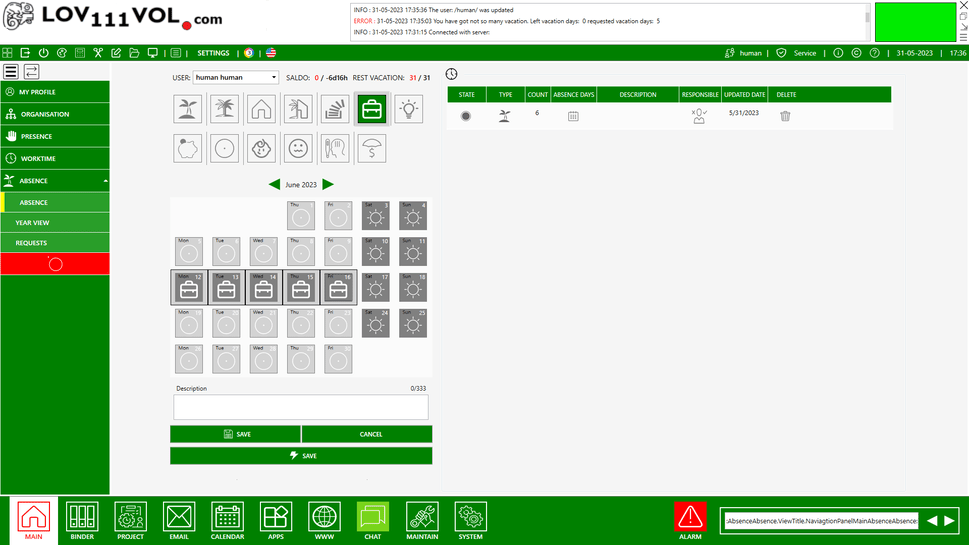
Example screenshot of the time tracking software for employees and teams

Offline Employee Time Tracking Software

This software supports accurate employee hour logging without requiring internet access. It's ideal for internal networks and secure environments.

Main Features

  • Flexible daily working hours and personalized schedules
  • Automatic tracking of hours worked, including absences and overtime
  • Detailed reporting and data export (e.g., Excel)
  • Secure role-based access control
  • Quick 50-second installation with easy 3-step setup
  • Designed for teams with shared data and reporting capabilities

Frequently Asked Questions - Time Tracking Software

Q: What is team calendar software?
A: Team calendar software is a digital calendar designed to replace traditional paper calendars, enabling efficient team scheduling and task management.

Q: How can it improve team collaboration?
A: This software allows teams to share schedules, assign tasks, and manage time effectively, improving communication and coordination.

Q: Is the team calendar software easy to install and use?
A: Yes. It features a step-by-step installation process and a user-friendly interface suitable for all team members.

Q: Do I need internet access to use the calendar?
A: No. The calendar software works offline on local devices or via a LAN network, ensuring schedules are always accessible.

Q: Can I export tracked employee data to Excel?
A: Yes. The software allows you to export tracked work hours and reports directly to Excel for further processing.

Q: Can I manage both events and tasks?
A: Yes. You can create, assign, and track events, deadlines, and tasks in a single interface.

Q: Is it compatible with Windows and macOS?
A: Yes. Native support is included for Windows, and it can run on macOS or Linux using Wine or Mono.

Q: Can teams share calendars and schedule meetings?
A: Yes. Team members can share schedules, assign tasks, book rooms, and control access permissions.

Q: Is my data secure?
A: Yes. All calendar and task data is stored locally and can be encrypted, ensuring schedules remain private and protected.

Q: Can I integrate this calendar with projects or workflows?
A: Yes. The software supports integration with task management and project tracking systems for seamless planning.

Q: How quickly can a team start using it?
A: For small teams, setup usually takes 5–6 minutes. See installation instructions for teams.

Q: Do I need technical knowledge to run it?
A: No. This calendar software is designed to be easy to use for small teams and companies without an IT department. You can set it up yourself in about 1 minute, without any technical knowledge.

Launch Time Tracking Software in Team