All-in-One Software Suite by LOV111VOL & FAQ
How to Download and Run
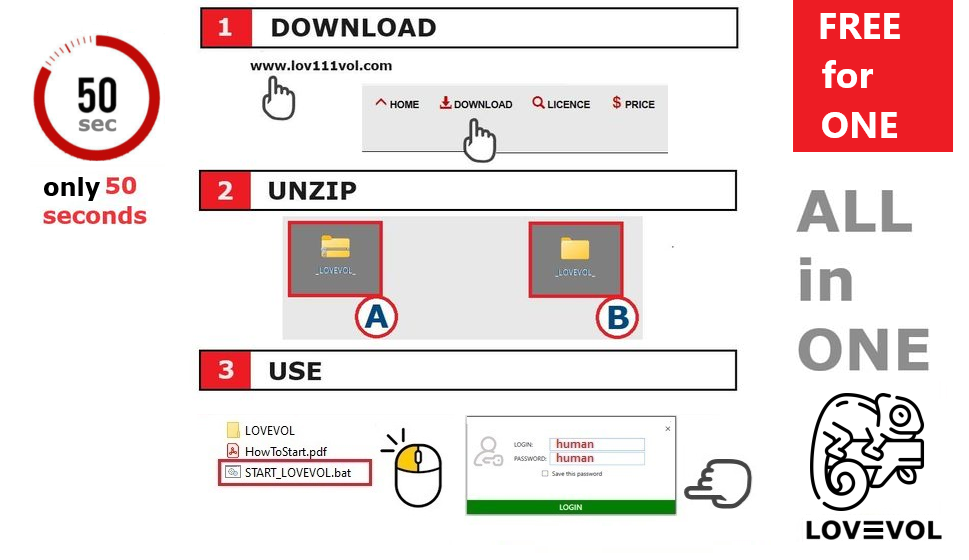
Step-by-Step: Download and Install YourApp
1. Visit the Official Website: Go to LOV111VOL.com and click the Download button on the homepage.
2. Unzip the Installation File: After downloading the ZIP file, locate it on your device. Right-click the file and select Extract All to unzip the contents.
3. Launch the Application: Open the unzipped folder and double-click START_YOURAPP.bat to start the software.
After completing these first three steps, YourApp is ready to use — no additional setup is required.
4. Team Collaboration Setup: To use YourApp with your team, copy the extracted folder to a shared network location accessible by all team members.
5. Configure the Database: YourApp supports multiple database options:
- SQLite – Simple, file-based database.
- MySQL – Popular open-source option.
- Microsoft SQL Server (MSSQL) – Scalable, enterprise-grade solution.
Need help? Visit our Support Page or contact our customer service team.

Frequently Asked Questions (FAQ)
Frequently Asked Questions
Q: Will I lose my data if I uninstall the software?
A: No, uninstalling the application does not delete your data files. All your projects, documents, and settings remain saved on your disk unless you manually remove them.
Q: Can anyone install the software for personal use? 🟢
A: Yes. The installation process is extremely simple and takes a maximum of 50 seconds. It’s designed so that anyone can do it without technical knowledge.
Q: Can a team install and share the application easily? 🟢
A: Yes. The software is designed so that even non-technical users can handle team setup. Simply copy the database file to a shared folder, set the path in the configuration, and distribute the application to colleagues. That’s it. See how to get started with your team
Q: Does it work directly from USB (standalone)?
A: Yes, the software works in standalone mode from a USB or external drive.
Just plug in a USB stick (USB 3.0 recommended for faster performance) — you always have everything with you, no installation needed.
You can run it directly from the USB stick or external disk.
Q: How do I update the software without losing my current data?
A: Before updating, always back up your database and essential files. Updates are designed to be compatible with previous versions, so replacing binaries does not affect your data.
Q: Can the software be used by multiple team members simultaneously?
A: Yes, it supports team collaboration by placing the application in a shared network folder and connecting to shared databases such as SQLite, MySQL, or MSSQL.
Q: Is there a default configuration when I install the application?
A: Yes, by default, after completing the first three steps of installation, the software is fully configured and ready to use without additional setup.
Q: What should I do if the interface looks blurry or improperly scaled?
A: For the best experience, set your Windows Display Scale to 100% and your resolution to 1920x1080 as recommended in the installation instructions.
Q: Does the application support offline chat communication?
A: Yes, the integrated chat system works in LAN and WLAN environments, allowing team members to communicate in real-time even without internet access.
Q: Where can I get help if I encounter problems with the software?
A: You can visit the official support page or contact the IT service desk feature integrated into the application.
Q: Can I customize the branding of the software?
A: Yes, the software allows full customization of logos and color schemes to match your organization’s branding.
Q: Which database systems are supported?
A: The platform supports three major database systems: SQLite (file-based), MySQL (open-source), and Microsoft SQL Server (enterprise-grade).
Q: Is my data encrypted and secure in the software? 🔴
A: Absolutely. Sensitive data such as passwords and chat history are encrypted so that even service administrators cannot decrypt them. Security is a top priority in the platform’s architecture.
Q: Does the application connect to the internet or external servers? 🔵
A: No, it operates entirely offline by default. There is no built-in integration with external cloud services. If an internet connection is available, it only checks for updates and optional content for the free version.
Q: Can the software be used online?
A: Yes, depending on your configuration. For example, it works in virtualized environments like Citrix Workspace, enabling remote access without compromising performance or security.
Q: Does the platform use artificial intelligence? 🟡
A: Yes. Each module, such as the IT Service Desk, leverages AI to recognize similar queries and display relevant results, helping you save time and improve efficiency.
Q: Can I export data and generate reports, for example from the worktime tracking module?
A: Yes. The software allows you to export data, such as employee worktime, quickly (e.g., in about 10 seconds) to Excel files for payroll or reporting purposes.
Q: Is the platform designed for non-technical users? 🌸
A: Yes. The entire system is built to be intuitive and easy to use, even for users with no technical background. Installation, setup, and daily use require no IT knowledge.
Q: How can I uninstall the software?
A: Simply delete the application folder. Since it is portable and requires no installation, uninstalling is as easy as removing the files. Your data remains on your disk unless you delete it separately.
🔴 Security
🔵 Internet
🟡 AI
🟢 Installation / Upgrade
🌸 Non-technical Friendly

Office Management System
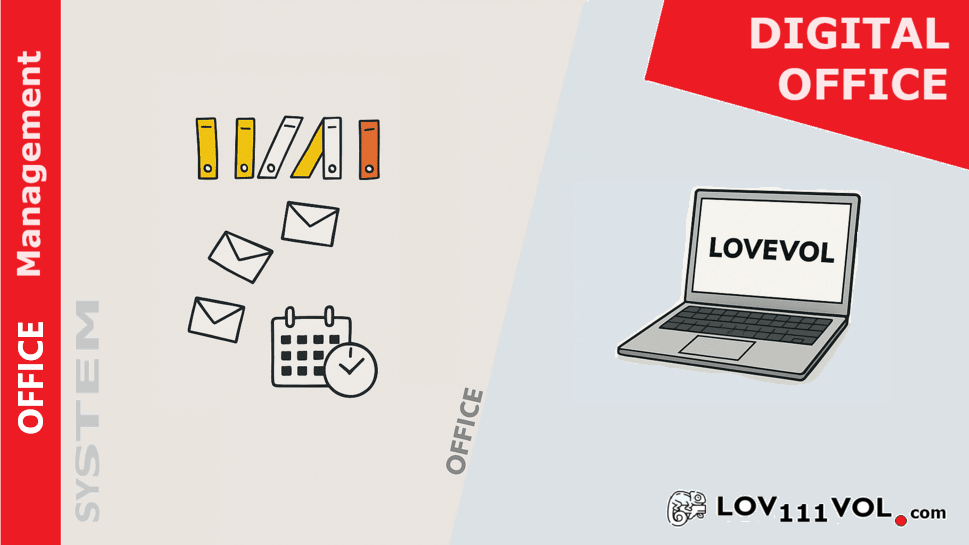
Boost Team Productivity with Office Management System
What is an Office Management System?
This platform is a powerful office management system designed for startups, small businesses, and freelancers. This all-in-one solution integrates essential tools to optimize your business operations, including:
- Service Desk and Ticketing System for efficient support management
- Integrated Email Client and Calendar for seamless communication
- Agile Project Management features to streamline workflows
- Task Planning and Team Collaboration tools to enhance productivity
The Office Management System centralizes daily workflows, helping teams communicate effectively and deliver projects on time.
Organizational Chart Feature
The organizational chart within this system provides a clear, interactive visualization of your company's structure. It highlights employee roles, reporting lines, and responsibilities to:
- Increase team transparency and accountability
- Enhance internal communication and coordination
- Allow quick updates to reflect organizational changes
Whether you are scaling your startup or managing an established enterprise, this feature supports effective team management and growth.
Learn more on our official LOV111VOL website or explore the demo version of our office management system today.
Digital Office Management System
Organizational Chart of Digital Office Management System
About Digital Office Management System: This platform offers a comprehensive Digital Office Management System designed to optimize business workflows. By integrating essential tools such as Help Desk, Ticket System, Email Client, Calendar, Password Manager, and Scrum Project Management, the system helps startups, small businesses, and freelancers manage their operations efficiently.
Benefits of the Digital Office Management System: The system centralizes communication and collaboration within teams, streamlines document management, and enhances organizational transparency. The included organizational chart visually represents company roles, responsibilities, and structure, improving team understanding and supporting scalable growth.
Organizational Chart Software – Organization Management System
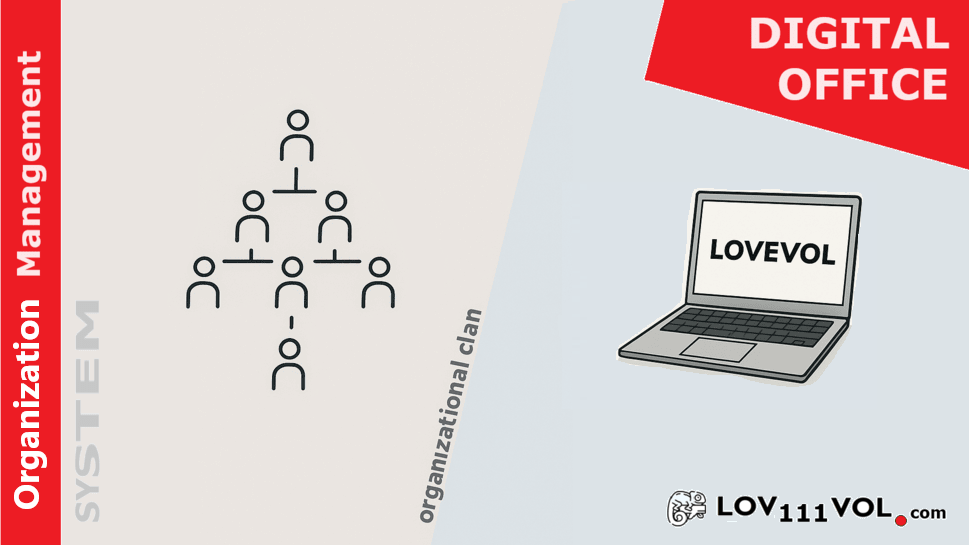
Organizational Chart Feature
This platform is an innovative organization management system designed to enhance productivity and collaboration for businesses of all sizes. It provides a comprehensive suite of tools, including a service desk, ticketing system, email client, team calendar, and agile project management. The system helps streamline workflows, boost internal communication, and empower teams through efficient operations.
Organizational Chart Feature: This feature allows you to visualize your company’s hierarchy and internal structure. The interactive chart presents clear relationships between departments and roles, improving team clarity and onboarding efficiency.
Key Benefits of the Organizational Chart:
- Enhanced clarity: Clear display of roles and responsibilities eliminates confusion.
- Improved communication: Visual structure helps departments collaborate more effectively.
- Faster onboarding: New team members quickly understand company structure.
- Real-time updates: Changes in the organizational structure can be reflected instantly.
- Complete visibility: Easily see team configurations and reporting lines.
Worktime and Vacation Management System – Time Tracking Software
Smart Employee Time Tracking and Vacation Manager
YourApp is a modern, offline-capable workplace productivity platform designed to improve team coordination, transparency, and task efficiency. Alongside tools for project management, service desk, and internal messaging, YourApp features a powerful Worktime and Vacation Management System tailored for HR and operations teams.
Worktime & Vacation Management: This integrated module enables organizations to easily monitor employee working hours, handle vacation requests, and manage attendance – all from a centralized dashboard. Whether you're a small team or a large organization, this feature adapts to your structure and helps maintain workflow balance.
Main Features of the Time Tracking System:
- Real-Time Logging: Track working hours instantly and reduce administrative overhead.
- Multiple Entry Options: Use manual input, clock-in/out buttons, or mobile-based tracking for hybrid teams.
- Insightful Reports: Generate detailed reports on work hours, overtime, absences, and leave balances.
- Payroll Integration: Automatically sync tracked time with payroll systems to eliminate payment errors.
- User-Centered Interface: Simple design makes it easy for every employee to use daily.
Benefits of the Worktime & Vacation Tool:
- Precise Records: Ensure data accuracy for audits, payroll, and internal planning.
- Simplified Leave Management: Employees can request time off with visibility into approval status and available days.
- Greater Transparency: Maintain accountability across teams with structured time reporting.
- Optimized Workforce Planning: Analyze patterns to better allocate resources and meet project deadlines.
- Increased Employee Satisfaction: Empower staff with flexible and fair time-off management.
Document Management System – Secure File Storage and Collaboration
Digital Document Binder and Secure Document Management System
This platform offers a robust and offline-ready Document Management System (DMS) designed to help businesses organize, secure, and collaborate on digital documents efficiently. It replaces chaotic file structures with an intuitive, centralized platform, enabling secure document access and real-time collaboration.
Key Features of the Document Management Software:
- Centralized Storage: All organizational documents are stored in a secure, structured location accessible across your team or department.
- Version Control: Track and access previous document versions. Ensure changes are documented and the latest versions always available.
- Advanced Search: Quickly locate files using keywords, categories, or metadata with the intelligent full-text search engine.
- Team Collaboration: Share documents, add comments, and work together with colleagues on a unified platform.
- Permission Management: Control who can view or edit documents with flexible access levels and robust role-based security.
Benefits of the Document Management System:
- Boosted Efficiency: Reduce time spent searching for files and automate document tracking across projects.
- Regulatory Compliance: Stay compliant with industry standards by securely archiving and tracking documents over time.
- Reduced Costs: Eliminate paper-based workflows and reduce physical storage expenses.
- Improved Team Productivity: Real-time access and communication around documents fosters faster decision-making and reduced errors.
Project Management System – Agile, Scrum, and Kanban Tools
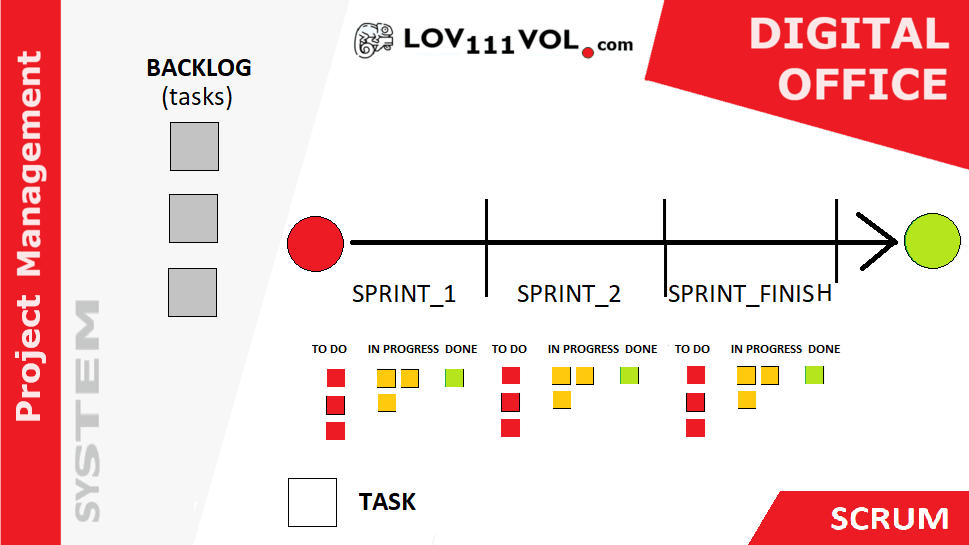
Agile Project Management Software – Platform
This platform delivers a dynamic and flexible Project Management System built for Agile teams. Whether you're using Scrum, Kanban, or hybrid workflows, the system allows you to plan, track, and deliver projects efficiently — with real-time updates, customizable boards, and built-in time tracking.
Key Features of the Agile Project Management Tool:
- Scrum & Kanban Boards: Organize your team’s work visually with drag-and-drop task boards, sprint planning tools, and work-in-progress limits.
- Task Management: Create, prioritize, assign, and track project tasks. Ensure deadlines are visible and aligned across your team.
- Integrated Ticketing: Handle support or development issues efficiently with a built-in ticket system that links directly to project items.
- Real-Time Collaboration: Team members can comment, share documents, and receive instant updates on task progress or changes.
- Built-In Time Tracking: Log time on tasks, monitor productivity, and generate detailed performance reports effortlessly.
Benefits of the Project Management System:
- Greater Team Productivity: Keep everyone aligned and reduce bottlenecks by combining Agile tools and clear task ownership.
- Seamless Communication: Real-time updates, inline comments, and notifications foster better teamwork and reduce misunderstandings.
- Centralized Project Oversight: One tool for all: time tracking, task management, sprint planning, and issue tracking — fully integrated into one system.
IT Service Desk (Help Desk) | Ticket Management & Knowledge Base
IT Service Desk Platform
This platform offers a comprehensive IT Service Desk system designed to streamline support workflows, improve communication, and increase customer satisfaction through fast and effective issue resolution.
Core Features of the Help Desk Software:
- Knowledge Base Integration: Users can easily search for self-help articles and troubleshooting guides.
- Ticket Management System: Efficiently track, prioritize, and assign IT support requests with unique identifiers.
- Automated Notifications: Keep users informed about the status of their tickets in real time.
- Searchable Ticket History: Quickly access past support cases to avoid repetitive work and boost resolution speed.
- Real-Time Collaboration: Support agents can collaborate internally to resolve complex issues faster.
- Reports and Analytics: Generate insights on resolution times, recurring issues, and team performance.
Benefits of the IT Help Desk System:
- Faster IT Support: Reduce response and resolution times through structured workflows.
- Higher Customer Satisfaction: Provide self-service tools and transparent ticket updates.
- Minimized Repetitive Issues: Proactively identify and solve recurring problems via the knowledge base.
- Team Collaboration: Improve cooperation and issue-solving efficiency among IT staff.
- Data-Driven Decisions: Use metrics and reports to optimize help desk performance.
Email Client | Unified Inbox & Team Communication
Email Client System
General Overview: The integrated email client offers a seamless experience for managing professional communication across projects and teams. This platform centralizes email workflows within the system, improving productivity and clarity.
Main Features of the Email Client:
- Unified Inbox: Access multiple email accounts from one consolidated view.
- Custom Folders & Labels: Organize messages by project, priority, or client.
- Email Filtering: Automatically route incoming messages using custom filters.
- Calendar & Task Integration: Convert emails into tasks or calendar events effortlessly.
- Searchable Archive: Quickly retrieve past messages using advanced search criteria.
- Email Templates: Save time with pre-written responses for recurring messages.
- Team Collaboration: Share, comment on, and respond to emails as a team.
Benefits of Using the Email Client:
- Centralized Communication: Manage all email activity within the platform environment.
- Better Organization: Keep inboxes clean and emails categorized effectively.
- Efficiency Boost: Avoid context-switching by integrating mail with project tools.
- Improved Collaboration: Ensure team-wide visibility and unified communication strategies.
- Quick Email Discovery: Locate critical conversations instantly using search filters.
Calendar Client | Scheduling, Booking & Task Integration
Calendar Client System
Overview: The Calendar Client helps users manage schedules, appointments, and bookings with precision. This platform adapts to your workflow, whether you're coordinating meetings, assigning deadlines, or managing hospitality services like room reservations.
Key Features:
- Custom Views: Switch between day, week, or month views based on your preference.
- Appointment Scheduling: Create and invite participants to meetings or reminders easily.
- Hotel Room Booking: Ideal for hospitality – manage room availability and prevent overbooking.
- Event Management: Send RSVPs and track responses directly from the calendar.
- Project Integration: Link calendar events to tasks or milestones within projects.
- Reminders & Notifications: Stay on top of your schedule with timely alerts.
- Cross-Device Sync: Access your calendar from desktop or mobile at any time.
- Sharing Options: Share specific calendars with your team for transparency and planning.
Main Benefits:
- All-in-One Scheduling: Consolidate meetings, bookings, and personal events in one view.
- Adaptable for Businesses: Ideal for corporate teams and hotel reservation systems.
- Improved Planning: Integrated with tasks and project deadlines for better alignment.
- Never Miss an Event: Smart reminders help avoid missed appointments.
- Better Coordination: Keep your team in sync with shared calendars and booking visibility.
Applications Management System | Centralized Deployment & Control
Applications Management System
Overview: The Applications Management System within this platform streamlines how organizations deploy, configure, and maintain software. It connects seamlessly with other modules, improving operational efficiency and reducing IT complexity.
Key Features:
- Centralized Deployment: Install and distribute applications across all departments from a single dashboard.
- Configuration Management: Ensure all software settings comply with organizational policies.
- Version Control & Updates: Track and manage app versions to keep systems up to date.
- Access & Permissions: Grant or restrict access to apps based on user roles and responsibilities.
- System Integration: Works seamlessly with other platform modules such as tasks, documents, and project tools.
- Monitoring & Reporting: Analyze usage, generate reports, and make informed optimization decisions.
- Multi-Platform Compatibility: Supports desktop, mobile, and web applications.
Key Benefits:
- Simple IT Management: Reduce overhead by centralizing software lifecycle control.
- Stronger Security: Limit access and enforce compliance through role-based controls.
- Smoother Workflow: Switch between apps and modules without leaving the system environment.
- Less Downtime: Keep applications current and minimize disruptions with automated updates.
- Scalable Architecture: Easily grow the system with your organization’s needs.
Chat Management System | Encrypted LAN/WLAN Messaging
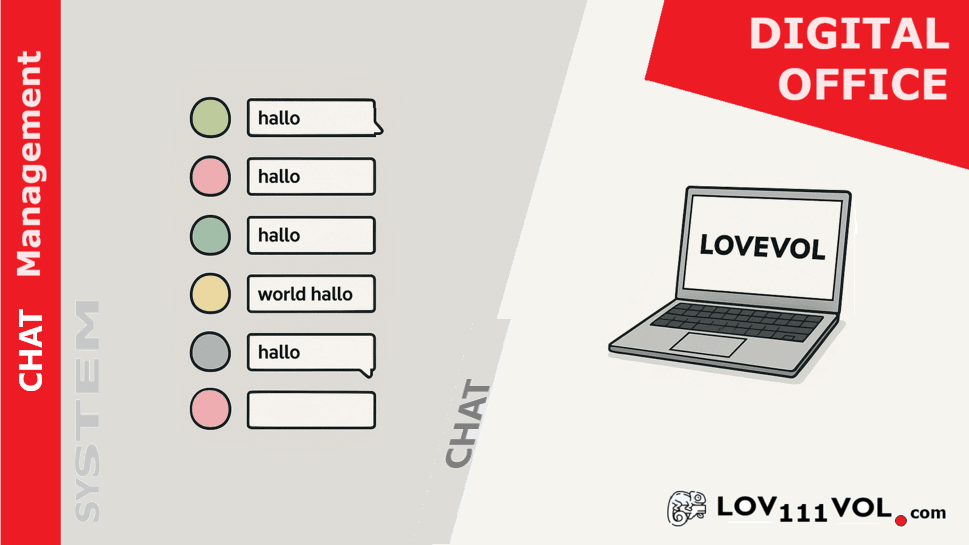
Chat Management System
Overview: The Chat Management System built into this platform is a secure, flexible communication tool tailored for both online and offline environments. It supports real-time collaboration over LAN/WLAN networks, even without internet access.
Key Features:
- LAN & WLAN Support: Enables reliable communication within the local network, with or without internet.
- Offline Messaging: Chat continues to function in disconnected environments, ensuring uninterrupted internal communication.
- End-to-End Encryption: Secure all message exchanges and protect sensitive information.
- Private & Group Chats: Collaborate one-on-one or in team channels tailored to projects or departments.
- File Sharing: Easily share documents, images, or other files within conversations.
- Notifications & Mentions: Stay informed with real-time alerts and mentions across all devices.
- Searchable Chat History: All messages are logged and can be quickly retrieved via search filters.
- Integrated Collaboration: Chat is linked with other tools within the system, such as tasks and documents, allowing users to share project content directly in conversations.
Benefits:
- Always-On Communication: Ensure team connectivity in any environment, including offline conditions.
- Secure Messaging: Confidential internal chats backed by encryption.
- Unified Collaboration: Bridge chat with project data for smoother workflows.
- Cross-Device Access: Stay connected from desktop, tablet, or mobile.
- Team Efficiency: Group messaging and task-aligned discussion boosts coordination.
Web Browser Management System | Secure & Productive Browsing
Web Browser Management System
Overview: The Web Browser Management System in this platform empowers organizations to monitor, control, and optimize internet usage within their network. It is designed to enforce security, boost productivity, and ensure compliance with company web policies.
Key Features:
- g
- Website Access Control: Block or allow access to websites based on customized company rules and departmental needs.
- Productivity Management: Restrict access to non-work-related sites during work hours to maintain employee focus.
- Integrated Web Access: Seamless integration with other system tools, such as task and project management, ensures safe access to required resources.
- Time-Based Rules: Enforce access policies during specific times of the day or week (e.g., break hours only).
Benefits:
- Improved Security: Reduce exposure to harmful or non-compliant content.
- Boosted Productivity: Encourage time-efficient internet usage during work sessions.
- Transparent Insights: Use web usage data to fine-tune policies and drive performance.
Team Password Manager
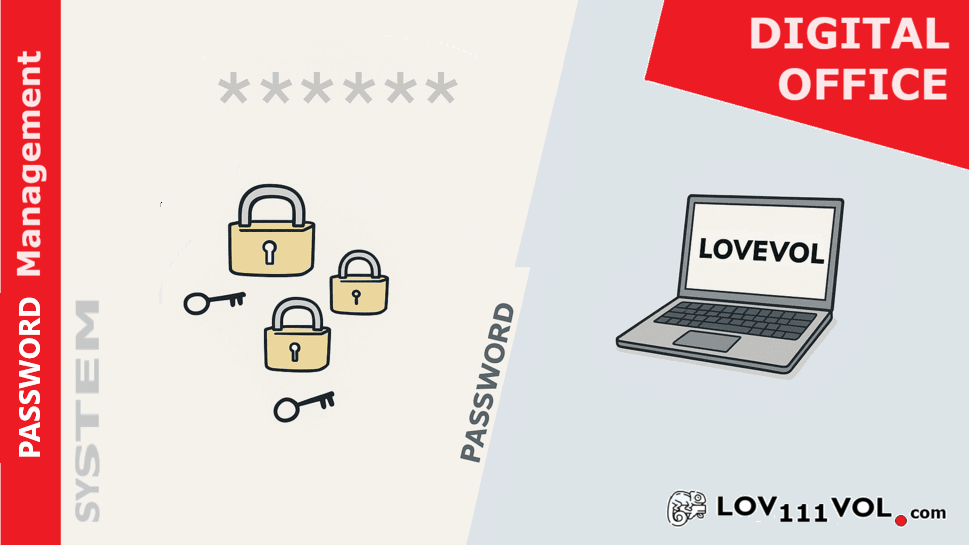
Password Manager System
The Password Manager System in this platform offers a secure and user-friendly solution for storing, sharing, and managing passwords across individual users and teams. It enhances credential security, streamlines access, and supports efficient collaboration.
Key Features:
- Secure Password Storage: Passwords are encrypted using advanced algorithms, including public/private key systems, ensuring maximum protection.
- Individual and Team Management: Supports both personal use and team-based sharing with permission-based access.
- Role-Based Access Control: Define access levels so that only authorized users can view or edit specific credentials.
- Encrypted Password Sharing: Share passwords securely among team members with encrypted channels.
- Centralized Dashboard: View and manage all password entries from a single interface for ease of administration.
- Audit Logs: Track all activity related to password usage and changes for compliance and transparency.
Benefits:
- Simplified Team Collaboration: Securely share credentials across departments without compromising security.
- Central Control: Administrators retain full visibility and control over password usage and lifecycle.
- Reduced Risk of Breaches: Strong password enforcement reduces the danger of reused or weak credentials.
- Convenience: Automatic login and secure sharing make daily access faster and more efficient.
Presentation
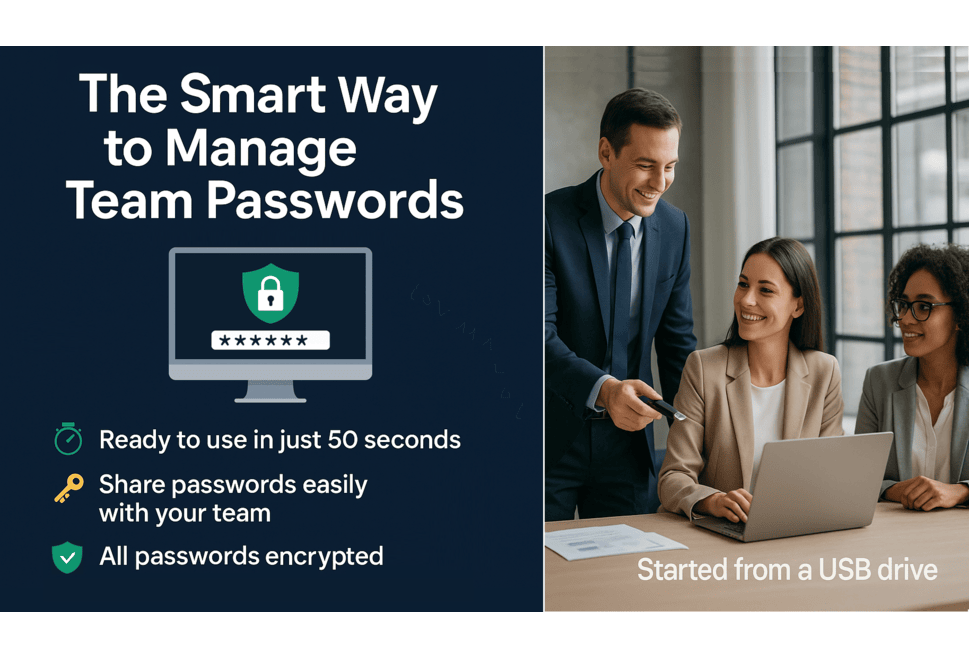
Presentation
This platform is a comprehensive management tool designed to streamline various organizational processes. It offers a suite of features that cater to the needs of individuals, teams, and businesses, enhancing productivity and collaboration.
Key Features:
- Document Management: Efficiently store, organize, and retrieve documents in a centralized location with easy team access.
- Project Management: Utilize Scrum, Kanban, and ticketing systems to manage tasks and track project progress.
- Worktime Management: Monitor working hours and vacation schedules for better workforce planning.
- IT Service Help Desk: Manage IT support requests effectively and improve response times.
- Email Client: Handle internal communication through integrated email tools.
- Calendar Management: Schedule events, meetings, and even room bookings within a unified calendar interface.
Benefits of Using
Benefits
Utilizing this platform offers numerous advantages for organizations looking to enhance their operational efficiency and team collaboration.
Benefits Include:
- Improved Productivity: Streamlined processes reduce time spent on administrative duties.
- Centralized Information: All documents and data are accessible in one location.
- Enhanced Collaboration: Chat systems and integrated email improve team communication.
- Scalability: Easily accommodates organizational growth and new features.
- User-Friendly Interface: Intuitive design makes it easy for all users to navigate.
- Customization Options: Adapt the system to match your operational needs.
Using In Team
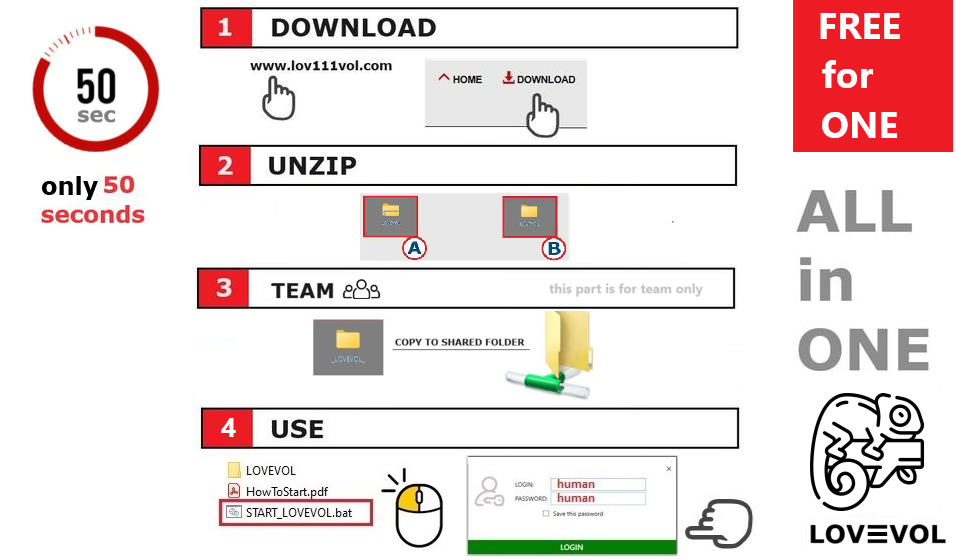
How to Download and Use in Team
To get started with this platform, follow these steps for downloading and utilizing the application effectively, especially in a team environment:
- Visit the Official Website: Go to lov111vol.com.
- Download the Application: Find the latest version and download the ZIP file.
- Unzip the File: Extract it to your preferred location.
- Run the Application: Launch the app by double-clicking START_LOVEVOL.bat.
After installing, you can use the platform to streamline workflows, particularly in team environments:
- Initial Setup for Teams: Copy binaries to a shared folder or configure database paths for SQLite, MSSQL, or MySQL.
- Navigating the Interface: User-friendly modules include document, project, and worktime management.
- Creating and Managing Projects: Set up projects, assign tasks, and use Kanban or Scrum boards for tracking.
- Utilizing Communication Tools: Use the LAN/WLAN-compatible chat system for real-time collaboration.
- Accessing Support: Visit the help section or IT Help Desk if issues arise.
Update & Backup
Update and Backup
Keeping your application updated is essential for optimal performance and security. Here’s how to effectively update the software and back up your data:
- Check for Updates: Regularly visit the lov111vol.com website to check for the latest version of the application. Updates often include new features, security patches, and improvements based on user feedback.
- Download the New Version: Once a new version is available, download the zip file containing the updated binaries.
- Backup Existing Data: Before proceeding with the update, back up your existing data. This can be done by exporting the current database or copying essential files to a secure location.
- Replace the Binaries: After backing up, unzip the new version. Replace the existing binaries in your application directory with the new ones from the downloaded zip file.
- Database Compatibility: The application is designed to be compatible with previous versions, meaning that the database schema will remain the same across updates. This ensures a seamless transition without the need for additional migrations or adjustments.
- Restart the Application: Launch again to ensure that the new version is running correctly. Check for any new features or updates in the application interface.