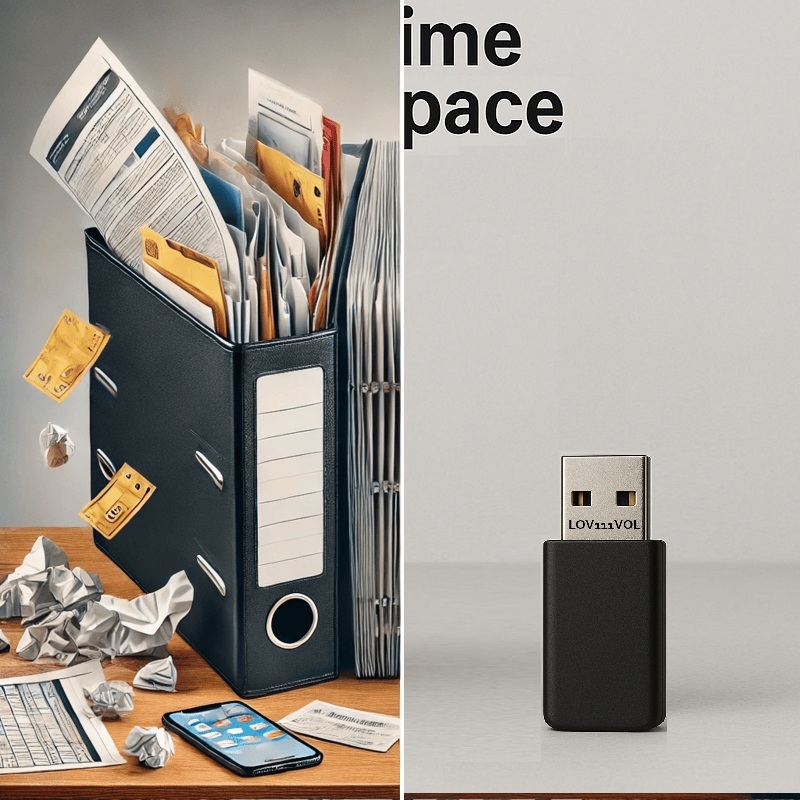
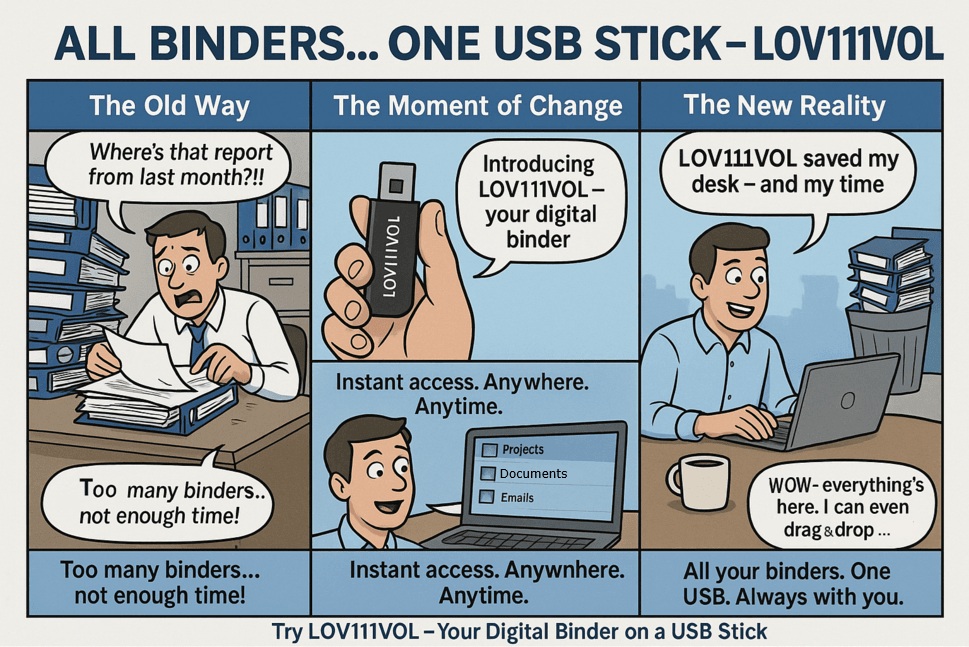
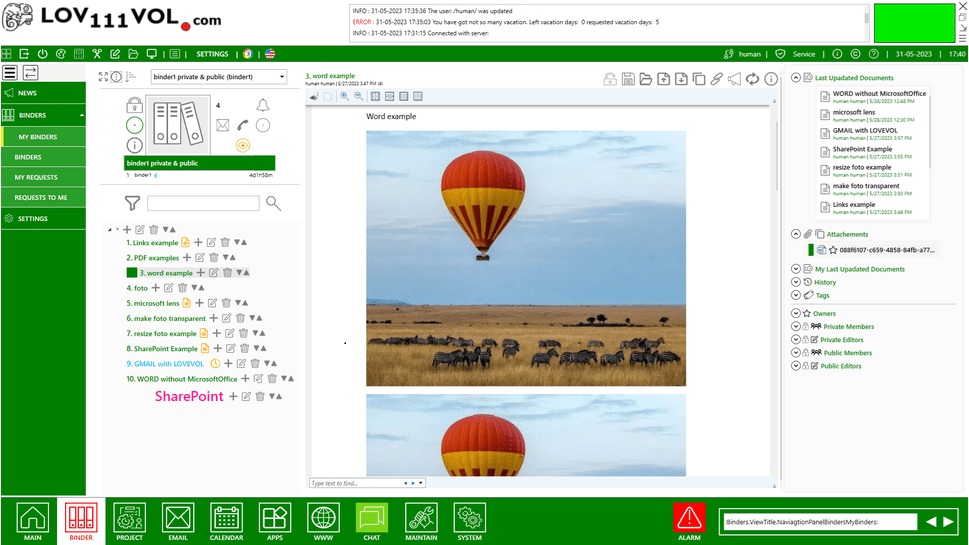
See how traditional folders become a portable, offline office on USB.
LOV111VOL turns a USB stick into a full-featured offline workspace for documents, projects, and emails.
No cloud required — just plug in and start working. Ideal for professionals, teams, and freelancers who need secure, mobile access to their data.
Frequently Asked Questions – Electronic Binder
Q: What is LOV111VOL?
A: It’s a portable application that replaces physical folders with a structured digital workspace, accessible directly from a USB stick. No installation required.
Q: Do I need internet access?
A: No. The application works entirely offline using your local environment or LAN network.
Q: What file types can I organize?
A: Documents, emails, tasks, calendars, and project folders — all managed in one easy-to-use workspace.
Q: Is it compatible with Windows and macOS?
A: Yes. It runs natively on Windows. On macOS or Linux, it can be used via Mono or Wine.
Q: Is it secure?
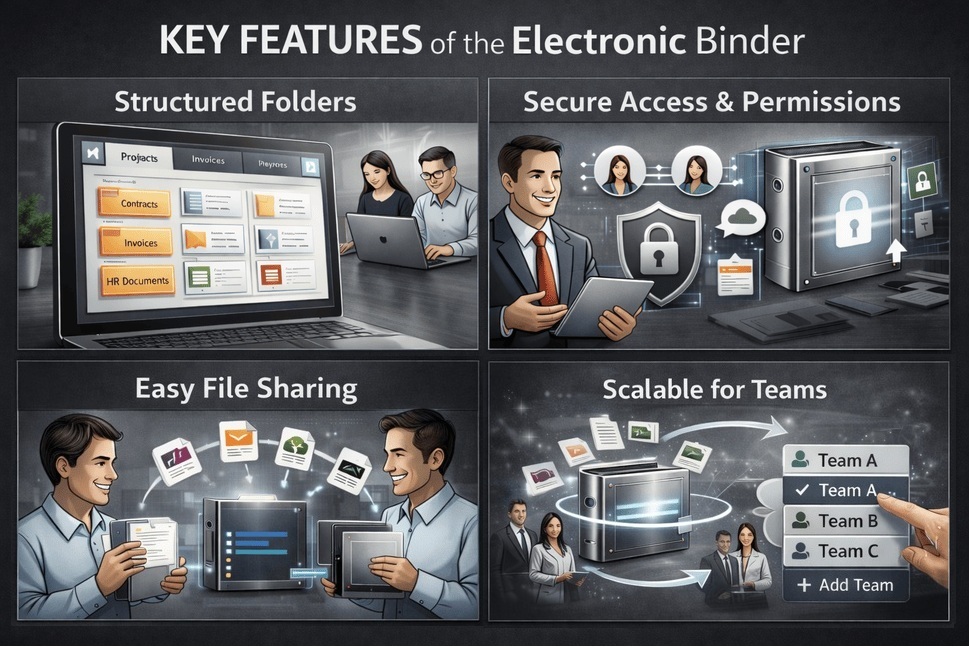
A: All data is stored locally and protected with AES encryption and public/private key pairing. Your information never leaves your USB device or local network.
Q: What happens if I lose the USB drive?
A: The drive can be protected with a password and optional hardware lock. We also recommend keeping an encrypted backup on another secure device.
Q: Can I customize the application?
A: Yes. You can add your logo and colors for a fully branded experience.
Q: How do I start using it?
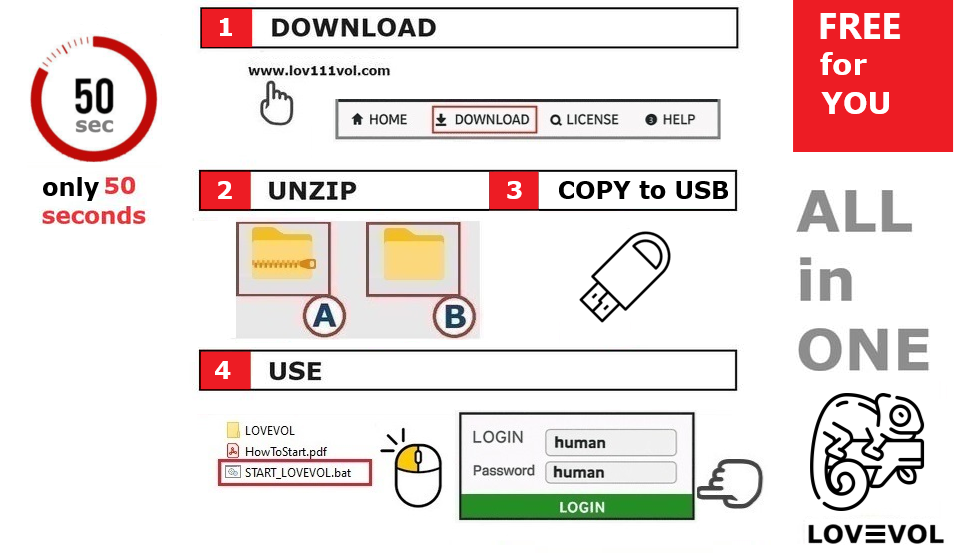
A: Simply copy the application folder to your USB stick, unzip it, and run the program. Setup takes under a minute.
Q: Can I share it with other users?
A: Yes. You can create user accounts, assign permissions, and share access with team members as needed.
Q: Can I use it at work?
A: Please check with your supervisor or IT manager whether portable workspace tools are allowed in your organization.
Q: Does it work on Linux or macOS?
A: Yes, via Wine or Mono. Native Windows support is included.
Q: Who is this solution designed for?
A: It’s ideal for professionals who need secure, portable, offline access to documents — including legal teams, healthcare providers, consultants, researchers, and remote workers.
Q: Is there a backup or recovery option?
A: Yes. The workspace supports encrypted backups and can be mirrored to another USB or offline location for recovery.
Q: Is the interface user-friendly?
A: Absolutely. The layout is clean and intuitive, shaped by feedback from real users to balance simplicity with powerful functionality.
Q: Can it also run from a cloud or network drive?
A: While designed for offline use, it can also be stored on a private cloud or network drive depending on your configuration.
Q: Do I need technical knowledge to run it?
A: No. This digital workspace is made to be easy to use for small teams and companies without an IT department. You can set it up yourself in about 1 minute, without any technical knowledge.
Replace all paper folders with one smart USB stick — work offline, stay organized, and take your projects anywhere.
IMAGINE
YOU CAN
FLY